
Telegram Notifications in GT App: What Arrives and When
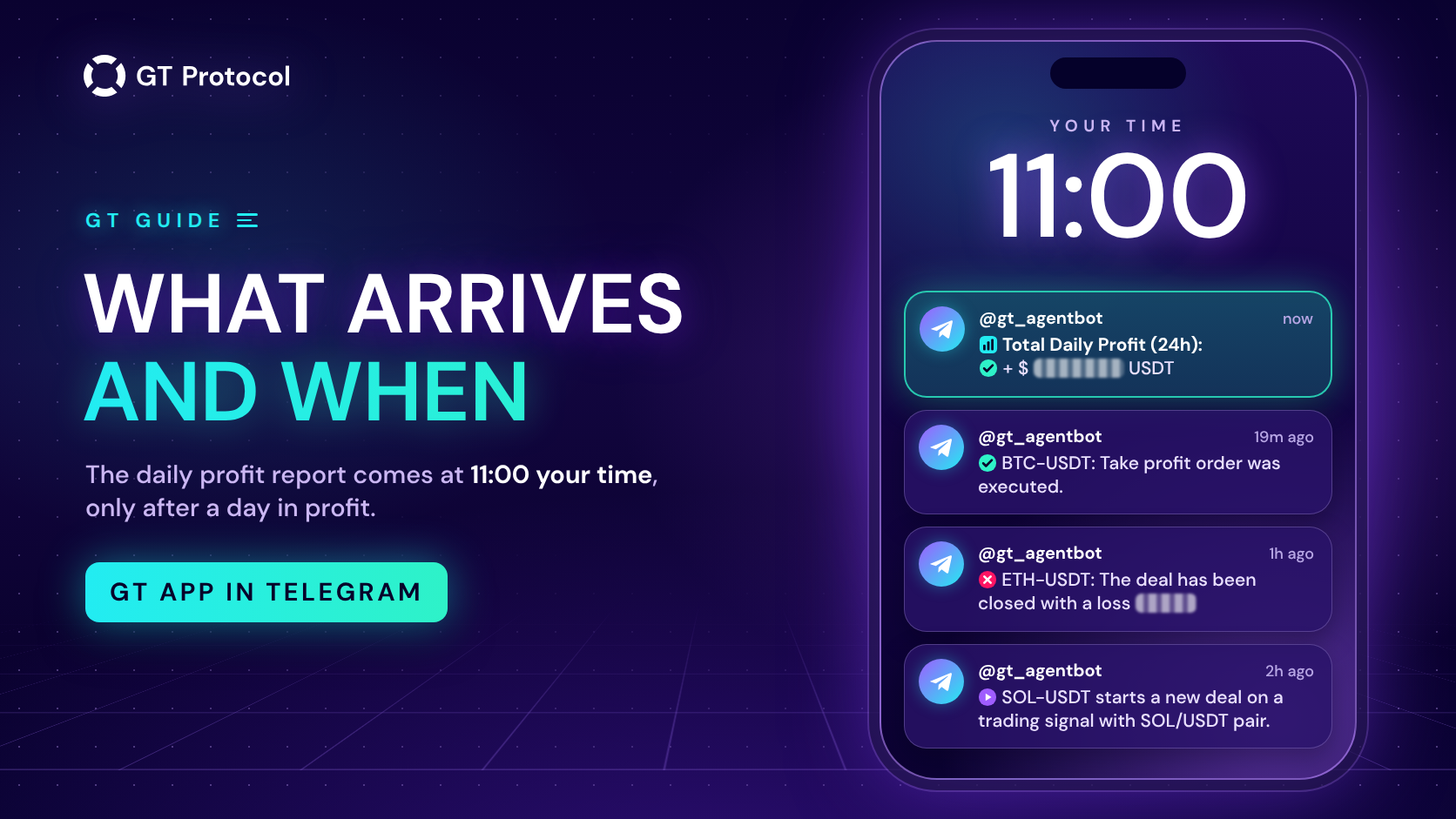
GT App sends notifications to Telegram through its AI trading agent, @gt_agentbot. Once the agent is connected, you get the key events of your strategies, updates about your plan and, at 11:00 your time, a daily profit report on real-money deals, sent only when the day ended in profit. Switching on Send All notifications adds everything else, stop losses included.
This guide shows how to connect the chat in GT App, how the daily report is counted and why a day can pass without it, what arrives with Send All off and on, and where the same events show up in the app and by email. It describes the app as of October 2026; the lists may change as we add features.
Table of contents
- How do GT App notifications reach Telegram?
- What is the daily profit report?
- Why didn’t the daily report arrive?
- What arrives with Send All notifications off?
- What does Send All notifications add?
- Where else do GT App notifications appear?
- How do you get fewer notifications?
- Frequently asked questions
How do GT App notifications reach Telegram?
GT App notifications reach Telegram through the chat with the AI trading agent, @gt_agentbot. The agent is the platform’s Telegram bot: connecting it links your Telegram account to your GT App account, and from then on the same chat carries your notifications, your conversations with the agent and the trade reports of GT AI Fund. There is no separate notification bot to set up. You connect the agent from inside the app, so the chat is linked to the right account:
- Sign in to GT App and open Profile.
- In the AI Trading Agent block, tap Activate AI.
- Telegram opens @gt_agentbot. Tap Start and wait for the welcome message.
- Back in Profile, the block now shows Deactivate AI, which means the agent is connected. Under the button is the Send All notifications switch, explained below.
The Connect Telegram step of the setup checklist leads to the same chat. What the agent does besides notifications is covered in our guide to the AI trading agent in Telegram.
A Telegram account is linked to one GT App account at a time: connecting it to a second account disconnects the first. To stop all Telegram notifications, tap Deactivate AI in Profile or send /logout in the chat. Blocking the bot in Telegram stops them too; to get them back, unblock it and connect again from Profile.
What is the daily profit report?
The daily profit report is one Telegram message a day with the combined result of your real-money deals that ended in the last 24 hours. It reads like this, with your amount in place of the dots:
📊 Total Daily Profit (24h): ✅+ $… USDT
The rules behind it:
- When. At 11:00 in the time zone of the device you last signed in from. The app records your time zone at every sign-in, so after a trip or a switch between summer and winter time the report comes at 11:00 of the old time zone until you sign in again.
- What it counts. Every real-money deal of all your strategies that ended in the 24 hours before the message: spot and futures, your own strategies and copies, a take profit, a stop loss or a deal you closed yourself. Deals that are still open don’t count yet. Demo deals never count.
- How it adds up. It is the net result: deals in loss are subtracted from deals in profit. The amount is in US dollars.
- When it stays silent. The message is sent only when that net result is above zero. A day in loss, a day at zero and a day without a single real-money deal ending all pass without a message.
- Where it appears. Only in Telegram. The report doesn’t pop up in the app, doesn’t come by email and isn’t kept in any strategy’s log.
- How to turn it off. It has no switch of its own and arrives with Send All notifications off. The only way to stop it is to disconnect the agent, which stops every other Telegram notification as well.
The report sums up deals that have already ended. It says nothing about open positions, which can be in loss at the same moment.
Why didn’t the daily report arrive?
A morning without the report usually comes down to one of four reasons. Check them in this order:
- No real-money deal ended in the 24 hours before 11:00. Open deals count only once they end, and demo deals never count.
- The deals that ended add up to zero or less. The report is sent only for a positive total, so a day in loss is a day without a message. Each strategy’s page shows what its deals did.
- The agent isn’t connected. If Profile shows Activate AI instead of Deactivate AI, connect again. The same applies if you sent /logout or blocked the bot in Telegram.
- It is 11:00 somewhere else. The report follows the time zone recorded at your last sign-in. If you have travelled or the clocks have changed since then, it arrives an hour or more off your local 11:00. Signing out and in again updates it.
If the agent is connected and other notifications keep coming, the first two reasons are the likely ones. The strategy’s trading log in the app, described below, shows how each deal ended.
What arrives with Send All notifications off?
With Send All notifications off, which is how every new account starts, Telegram still receives the key events of your strategies, your plan and the daily report. The tip next to the switch in Profile names seven of these events; the full list is longer:
- Deals: a strategy starts a deal, whatever started it; trailing take profit is activated; a take profit order is executed; a deal is completed, with its result. Right after a completed deal comes a line with the strategy’s profit for the day and in total.
- Strategies: a strategy is launched or stopped; Trend Changer and Macro Trend Changer signals and direction switches.
- Warnings: a strategy has lost its connection to the exchange and will try again; an order the strategy didn’t place has appeared on its futures position, and the message warns that deals and orders may still be open on the exchange.
- Plan: a payment is confirmed and the plan is active; the plan has expired; 90% and 100% of the plan’s profit limit are used. Buying a plan in the same chat is covered in How to Buy a GT App Membership in Telegram.
- Reports: the daily profit report, and the link to a trading log or analytics report you exported from a strategy’s page. Export links stay valid for three days.
With Send All off, a typical deal that ends at take profit sends four messages: the start, the executed take profit, the result and the strategy’s profit line. Trailing take profit adds a fifth when it activates.
What does Send All notifications add?
Send All notifications adds every other event the platform sends to Telegram. Most of it is the order-by-order detail of each deal: start, safety, take profit and stop loss orders as they are placed or cancelled, and every executed order the shorter list leaves out. It also adds messages you may not want to miss:
- a deal closed by a stop loss, including a trailing stop loss;
- a deal cancelled, and a futures position closed by hand on the exchange or liquidated;
- a strategy stopped by its deal limit;
- exchange problems: a balance too low for an order, invalid API keys, an order rejected or too small, a leverage error, the connection restored;
- reminders three days and one day before your plan expires, a payment order that expired, and a message at every sign-in to your account.
The difference that matters most: with Send All off, Telegram tells you when a deal closes at take profit, but not when it closes at a stop loss or the exchange liquidates the position. Those events still appear in the app and in the strategy’s trading log. If your strategies use a stop loss or trade futures and you want to hear about losing exits as they happen, switch Send All on.
The switch is in Profile, in the AI Trading Agent block, under the Activate AI or Deactivate AI button. It applies from the next notification. The table compares what reaches Telegram in each mode.
| Event | Send All off | Send All on |
|---|---|---|
| A deal starts | Yes | Yes |
| Take profit executed | Yes | Yes |
| Deal completed, with its result | Yes | Yes |
| Deal closed by stop loss | No | Yes |
| Position liquidated | No | Yes |
| Orders placed or cancelled | No | Yes |
| Strategy launched or stopped | Yes | Yes |
| Stopped by the deal limit | No | Yes |
| Trend Changer signal | Yes | Yes |
| Exchange connection lost | Yes | Yes |
| Daily profit report | Yes | Yes |
| Plan expires in 3 days or tomorrow | No | Yes |
Where else do GT App notifications appear?
Telegram is one of three places notifications go, and the only one you can tune. While GT App is open, events pop up in the corner of the screen for a few seconds; orders being placed or cancelled are left out of the pop-ups. Every event of a strategy is also written to the Strategy trading logs block on its page, whatever your Telegram settings, so that is the place to check what happened while you weren’t looking. The Export button on that block sends you a link to the full log, in Telegram and by email.
Email carries account and plan messages only: confirming your address, password reset and change, an account locked after too many wrong passwords, a payment confirmed or a payment order expired, reminders before a plan expires, the plan expired, the 90% and 100% profit-limit warnings, and export links. Trading events never come by email, and the daily profit report exists only in Telegram.
| Channel | What arrives | Your controls |
|---|---|---|
| Telegram | Key events, or every event with Send All on; the daily profit report | Send All notifications, Deactivate AI |
| GT App | Pop-ups while the app is open; each strategy’s full trading log | None |
| Account and plan messages, export links | None |
How do you get fewer notifications?
How many messages you get depends less on the switch than on how many strategies you run and how often they trade. A few things help:
- Keep Send All off unless you need every order. The key events and the daily report still arrive.
- Stop strategies you don’t use. Demo strategies send the same messages as real ones, including the Demo Long and Demo Short strategies every new account starts with. A message doesn’t say whether a deal was demo; only the strategy name does, so give your demo strategies names you will recognise.
- Count your Trend Changer strategies. Each Trend Changer and Macro Trend Changer signal comes as a separate message for every strategy that uses it, with Send All off too.
- Decide on the fund reports. The trade reports of GT AI Fund come to the same chat and are on by default. Send /reports to the agent to see the switch and turn them off.
- Mute rather than disconnect. Telegram can mute the chat, and messages keep arriving without a sound. Deactivate AI stops everything, the daily report included.
Frequently asked questions
Why didn’t I get the daily profit report today?
Either no real-money deal ended in the past 24 hours, or the deals that ended add up to zero or less, or the agent isn’t connected. The report is sent only when the total is above zero.
Can I turn off the daily profit report?
Not on its own. It arrives even with Send All notifications off, and only disconnecting the agent stops it, together with all other Telegram notifications.
Are demo strategies included in the daily report?
No. The report counts real-money deals only. Demo strategies still send their own deal messages to Telegram.
Will Telegram tell me when a stop loss closes a deal?
Only with Send All notifications on. With it off, the stop loss shows up in the app and in the strategy’s trading log, but not in Telegram.
How is “Daily profit” in a deal message different from the daily report?
The line after each completed deal covers one strategy: its result since 00:00 UTC that day and since it was created. The daily report covers all your real-money strategies over the 24 hours before 11:00 your time and is sent only when the total is above zero.
Can one Telegram account get notifications from two GT App accounts?
No. A Telegram account is linked to one GT App account at a time, and connecting it to another account disconnects the first.
Is this article investment advice?
No. It is published by GT Research for information. GT Protocol provides software, not financial, investment, tax or legal advice. Settings mentioned here are examples of how the tool works, not recommendations, and every trading decision is the reader’s own.
Where to start
Open Profile in GT App. If the AI Trading Agent block shows Activate AI, connect the agent. Then decide on Send All notifications: on, if your strategies use a stop loss or trade futures and you want every exit in Telegram; off, if the key events are enough. Either way, each strategy’s trading log in the app keeps the full record.
This article is published by GT Research for information. It describes how notifications work in GT App and is not financial advice. The daily profit report covers deals that have already ended and says nothing about future results. Trading digital assets, and futures in particular, carries a risk of losing some or all of the funds committed. GT Protocol provides software, not financial, investment, tax or legal advice. GT App is not available in every jurisdiction; the Terms of Service list the restrictions.