
How to Make a Trading Bot Stop After a Set Number of Deals
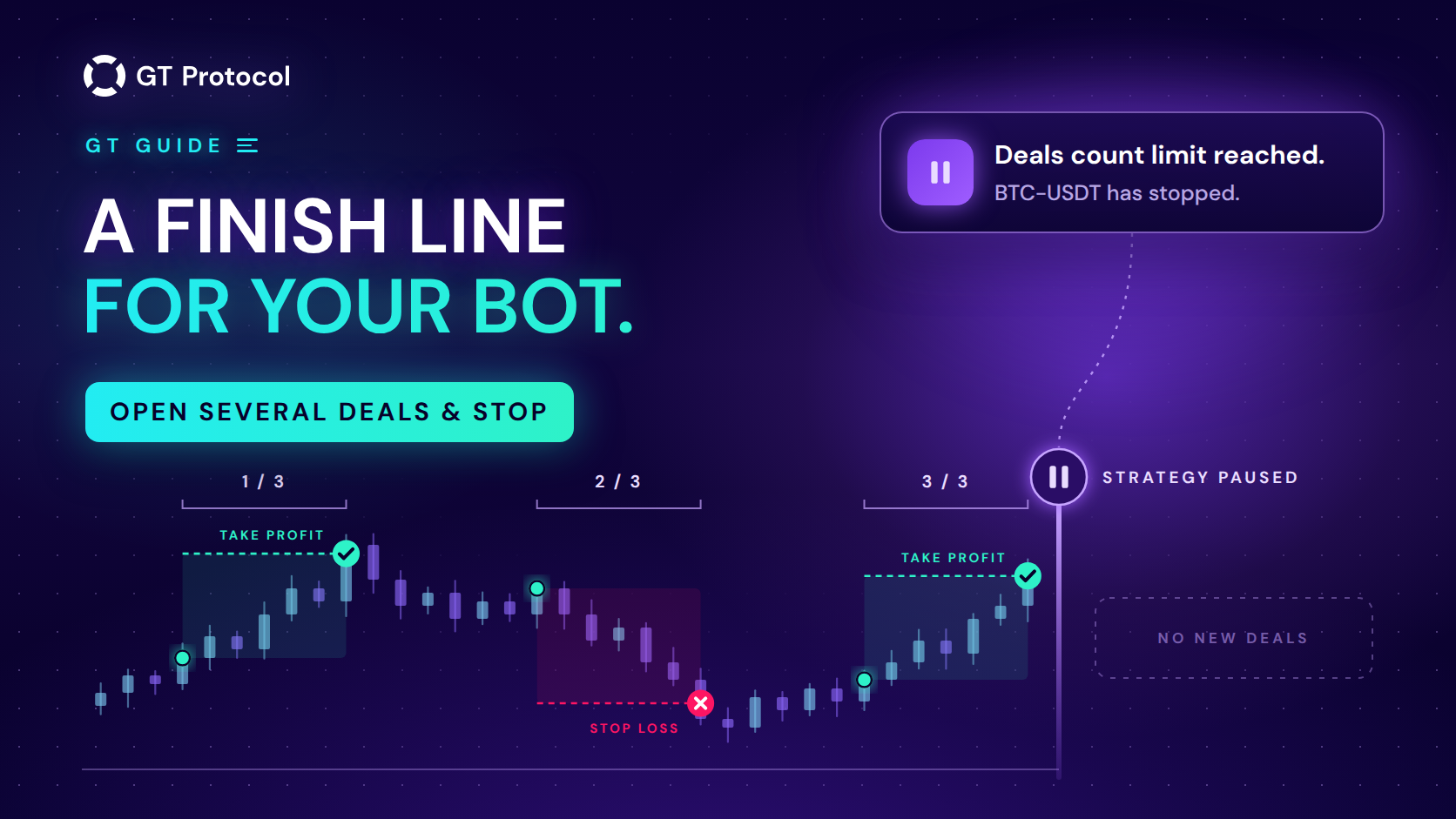
Open several deals & stop is a switch in GT App that makes a strategy stop by itself after a set number of deals. You enter the number, the strategy counts every deal that ends, whatever the result, and stops right after the last one. One press of Launch starts the next series.
This guide shows where the switch is in GT App, what the app counts as a deal, what happens when the last one ends and how to run another series. It also covers where a cap on deals helps: the first deals on real money, a fixed series with Immediate Start and a regular review of results. It describes the app as of October 2026; screens may change as we add features.
Table of contents
- What does Open several deals & stop do?
- Where is the switch in GT App?
- What counts as a deal?
- What happens when the last deal ends?
- How do you run another series of deals?
- When is a cap on deals useful?
- How does it compare with other ways a strategy stops?
- What doesn’t the cap do?
- Frequently asked questions
What does Open several deals & stop do?
A strategy in GT App normally runs until you stop it. When a deal ends, it opens the next one by its entry rule: on its signal, straight away with Immediate Start, or when you press Start Deal on a Manual start strategy. Open several deals & stop gives that loop a finish line. You choose a number, the strategy counts its deals as they end, and when the count reaches your number it stops by itself, as if you had pressed Stop.
The form calls the field Number of deals before the strategy will be paused, and the tip next to it says the strategy will open the set number of deals and stop after that. In practice the strategy ends up stopped, with the Launch button back on its page, so this guide says “stops”. With the switch off, which is the default, a strategy trades without a limit.
Nothing else changes. The entry rule, take profit, safety orders, stop loss and the rest of the settings work exactly as before. The cap only decides when the strategy stops opening new deals.
Where is the switch in GT App?
The switch is in the strategy form, in the card that starts with Stop loss. It is the last switch in that card, below Stop loss, Trailing Stop loss and, on a strategy that already exists, Smart Exit. You reach the form in two ways:
- Create Spot Strategy or Create Futures Strategy on the My Strategies page, when you build a new strategy. If creating a futures strategy opens Backtest mode, its Advanced settings button leads to the full form.
- Strategy settings on the page of a strategy you already have: open it from My Strategies.
To set the cap:
- Open the strategy form, or Strategy settings on the strategy’s page.
- In the card with Stop loss, switch on Open several deals & stop.
- In Number of deals before the strategy will be paused, enter how many deals one run should have.
- Press Save or Save and Start trading on a new strategy, or Save Settings on an existing one.
The switch is only on real-money strategies, spot and futures. Demo strategies don’t have it, and their deals aren’t counted. Strategies saved straight from Backtest mode or built by the AI trading agent in Telegram start without a cap: open such a strategy in the app and switch the cap on in Strategy settings. Trading real money needs a plan; Four Steps from Sign-Up to Real-Money Trading explains the way there.
What counts as a deal?
Every deal that ends counts, whatever the result:
- a take profit, including a trailing take profit;
- a stop loss, including a trailing stop loss;
- Smart Exit closing the deal early;
- Close Deal or Cancel Deal pressed by you;
- a deal the app cancels before a position opens, for example when the exchange rejects the start order.
A deal counts when it ends, not when it starts. Each strategy holds one deal at a time, so the cap never cuts a deal short: with the number set to 3, the strategy stops right after the third deal ends by its own exit. The other side of the same rule is that deals which end without trading use up the count too. If a strategy stops sooner than you expected, look for cancelled deals in its history on the Deals history page; the Deals article explains what it shows. The count belongs to one strategy: other strategies, even on the same pair, keep their own.
What happens when the last deal ends?
The strategy stops in the same moment. It doesn’t open another deal, even on Immediate Start, which would otherwise open the next one at the engine’s next check. On the strategy’s page, Launch takes the place of Stop, as after a manual stop. Because the strategy stops only after a deal has ended, it doesn’t leave an open deal of its own behind.
You also get a notification: “Deals count limit reached. … has stopped.”, with your strategy’s name in place of the dots. It always appears in the app. In Telegram it arrives only if you have connected the AI trading agent and switched on Send All notifications in the Telegram part of your profile. With that switch off, Telegram gets a short list of the most important notifications, and this one isn’t on it.
How do you run another series of deals?
Press Launch on the strategy’s page. Stopping resets the count, so the new run gets the full number of deals again and stops by itself when they are done. To change the number first, edit it in Strategy settings and press Save Settings. To let the strategy trade without a limit, switch the cap off.
The count resets whenever the strategy stops, including when you press Stop yourself in the middle of a run. If a deal is open at that moment, it keeps running to its own exit, because Stop only stops new deals, and when it ends it counts toward the next run. Our guide to managing an active deal covers what Stop, Close Deal and Cancel Deal do to an open deal.
You can also change the number while the strategy is running. Deals that have already ended in the current run still count, so if the new number has already been reached, the strategy stops after the next deal ends.
When is a cap on deals useful?
A cap keeps a run short enough that you actually look at it before the strategy carries on. A few situations where that helps:
- The first deals on real money. A demo run shows how a configuration behaves on live prices without real funds, but a demo strategy can’t be capped. When you move the same settings to real money, a cap keeps the first real run to the number of deals you chose and makes the strategy wait for you before it continues. The order we use, backtest first, then demo, then live with a small balance, is laid out in Backtesting vs Paper Trading.
- A fixed series with Immediate Start. Immediate Start opens the next deal as soon as one ends, so a strategy on it is almost always in the market. A cap turns that into a series of known length: the deals run back to back, and the strategy stops after the last one.
- A short, deliberate stretch. If you want a strategy to trade only for a while, say around an event you are watching, a small cap keeps it from running on after you have stopped paying attention. The cap counts deals, not hours, so on a signal entry even a few deals can take a long time.
- A regular review. Even on a strategy you trust, a cap makes it stop after every series of the size you set, so the results get read before the next one starts. Read the average profit together with the win rate: Win Rate vs Average Profit per Trade explains why one without the other misleads.
How does it compare with other ways a strategy stops?
Besides the cap, you can have a strategy stopped by its stop loss or stop it yourself with the Stop button. The table compares when each of them takes effect and what happens to the deal that is open at that moment.
| Way to stop | When | Open deal |
|---|---|---|
| Open several deals & stop | After the set number of deals has ended | None is left: the strategy stops after the last deal ends |
| Stop loss action “Stop the strategy and close the deal” | When a stop loss triggers | Closed by the stop loss |
| Stop button | When you press it | Keeps running to its own exit |
The first two work together, and whichever comes first stops the strategy. With the stop loss action set to Stop the strategy and close the deal, the first stop loss ends the run early. With the action Close deal, a stop loss is just one more deal in the count. The Close Deal button on the strategy’s page doesn’t stop anything by itself either: a launched strategy opens its next deal by its entry rule, so to leave the market completely, press Stop first and then Close Deal. How the stop loss itself works is explained in Stop loss.
What doesn’t the cap do?
- It doesn’t limit money. It counts deals, not profit or loss. A stop loss limits what one deal can lose; the cap only limits how many deals a run has.
- It doesn’t limit time. On a signal entry, a handful of deals can take a day or several weeks, depending on the timeframe and the market.
- It doesn’t pause between deals. It stops the strategy, and the strategy stays stopped until you press Launch.
- It isn’t on demo strategies. Test the rest of the setup on demo, then add the cap when you move to real money.
- It isn’t set by the AI agent. Strategies the agent builds start without a cap; switch it on in the app.
- You can’t set it on a copied strategy. A copy follows its author’s settings, and its own settings can’t be edited.
Frequently asked questions
Does a deal closed by stop loss count?
Yes. Every deal that ends counts, whatever the result: take profit, stop loss, Smart Exit, or closed or cancelled by you.
Will the strategy close my open deal when the limit is reached?
No. The strategy stops only after the last deal has ended by its own exit, so the cap never cuts a deal short.
How do I restart the strategy after it stops?
Press Launch. Stopping resets the count, so the new run gets the same number of deals again.
Can I use it on a demo strategy?
No. The switch exists only on real-money spot and futures strategies, and demo deals aren’t counted.
Why did my strategy stop sooner than I expected?
Check its deal history first: cancelled deals count, including deals the app cancels before a position opens. A stop loss with the action “Stop the strategy and close the deal” also stops the strategy at the first stop loss, whatever the count.
Will I get a Telegram message when it stops?
Only if the AI agent is connected and Send All notifications is switched on in your profile. The notification always appears in the app.
Is this article investment advice?
No. It is published by GT Research for information. GT Protocol provides software, not financial, investment, tax or legal advice. Settings mentioned here are examples of how the tool works, not recommendations, and every trading decision is the reader’s own.
Where to start
Open a real-money strategy in GT App, go to Strategy settings, switch on Open several deals & stop and set a number small enough that you will actually review the results, five for example. When the strategy stops, read its deals before you press Launch again.
This article is published by GT Research for information. It describes how a setting works in GT App and is not financial advice. A cap on the number of deals doesn’t limit losses, and no setting guarantees a result. Trading digital assets, and futures in particular, carries a risk of losing some or all of the funds committed. GT Protocol provides software, not financial, investment, tax or legal advice. GT App is not available in every jurisdiction; the Terms of Service list the restrictions.