
Can AI Trade Crypto for You? What It Can Do in GT App Today
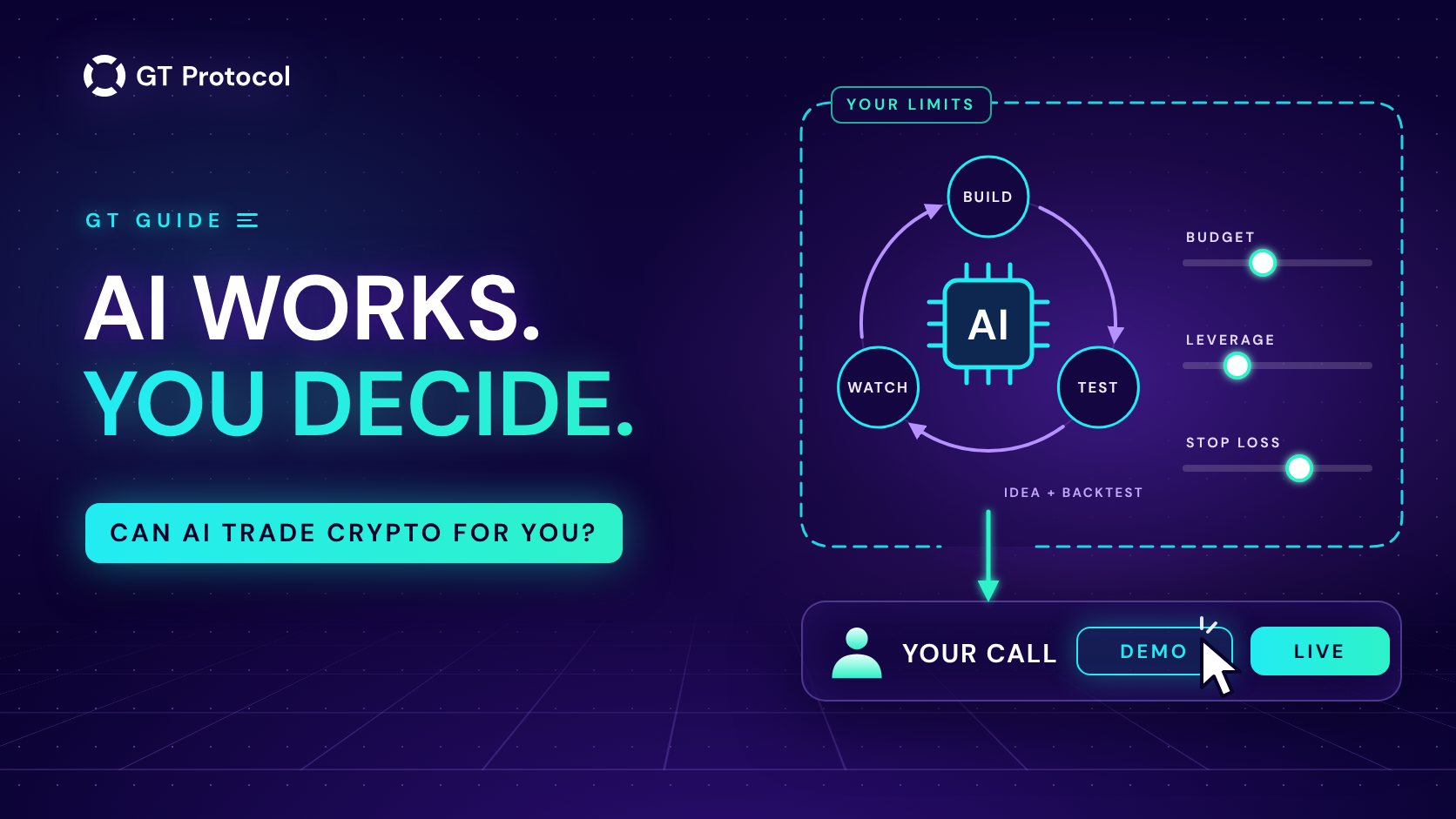
Partly, yes. In GT App, AI can propose a complete trading strategy, backtest it, start it in Demo, report on your bots and act on them when you ask: in the app, in Telegram, or from Claude and ChatGPT. It can’t promise a profit or move your money. Your budget, your risk and real money stay your call.
This guide covers the three ways AI works in GT App today, what each one does, what stays with you and a safe order for handing over the work. It describes the app as of November 2026 and doesn’t tell you which coin or settings to trade.
Table of contents
- Can AI really trade crypto for you?
- What can AI already do in GT App?
- How do the three ways compare?
- What stays your decision?
- What can’t AI do for you?
- How do you hand trading to AI without losing control?
- Frequently asked questions
Can AI really trade crypto for you?
“Trading” is several jobs at once: finding an idea, testing it, placing and managing orders, watching open positions and deciding how much to risk. A trading bot has done the order part for years. Once you launch a GT App strategy, it opens and closes deals by its rules around the clock, whether or not you are at the screen.
What AI adds is the work around the bot:
- The idea. Choosing a coin, a candle timeframe and a full set of settings from current market data, instead of starting from a blank form.
- The test. Running a backtest before anything goes live, so an idea is judged by how it traded rather than by how it sounds.
- The conversation. Explaining what your strategies are doing and carrying out plain instructions such as “stop the SOL strategy” or “close the open deal”.
The jobs that carry the risk are different. How much money goes in, how much leverage it uses and whether it trades real funds are the points where GT App keeps you in charge. The rest of this guide shows where those points sit.
What can AI already do in GT App?
AI works in three places, and all three use the same account and the same strategies. A strategy launched from one of them appears in the app at once.
AI-generated strategies in the strategy builder
Every hour, four AI models look at the Binance futures market and each proposes a complete strategy: the coin, the timeframe, the direction, the entry, take profit, stop loss and leverage. Every proposal is backtested, and the best recent idea of each model appears as a card in Create Strategy, with its result on the last 30 days of prices. Only strategies that were in profit on that test become cards, so the row can hold fewer than four.
Press Run → on a card and the builder takes on all of its settings and shows its backtest: every trade on a price chart, the win rate and the profit. From there the strategy is yours to change. Move the take profit, turn the leverage down or press Optimize to try other versions on the same history. Then launch it in Demo, which is free and needs no plan, or live on your own exchange. How to Use AI-Generated Trading Strategies in GT App walks through each step.
The AI trading agent in Telegram
@gt_agentbot is an assistant linked to your GT App account. It reads live market data, builds a strategy with a backtest attached and shows it as a card with launch buttons, one for Demo and one for each exchange you have connected. It also answers questions about the strategies you run. /status opens a card for each strategy with its open deal, profit or loss and distance to take profit. Two buttons on that card do the rest: Ask AI what to do gives advice on that strategy alone, and Close deal now closes the deal at market after you confirm.
You can write to it in your own language or send a voice message, and your trade notifications arrive in the same chat. It works in guest mode too: without an account, it gives a market overview and builds ideas with backtests. AI Trading Agent in Telegram: What It Can and Can’t Do covers the commands and the limits.
Your own AI app: Claude, ChatGPT, Claude Code or Codex
GT App also connects to the AI app you already use. You add GT App to it with one address, sign in on GT App’s own page and allow access. From then on you can ask the assistant to list your strategies and deals, read your exchange balances, backtest an idea and chart the trades, create a strategy, start or stop it, change its settings or close a deal. A new strategy is a demo one unless you ask for live, the AI app asks before it changes anything unless you tell it not to, and withdrawals, exchange keys and account deletion aren’t open to it at all. Connecting works on every GT App plan, and you can end the access in your Profile under Connected AI apps.
How do the three ways compare?
Each way suits a different moment: the builder when you want to see and adjust a tested idea, the agent for a quick check from your phone, your AI app for longer questions and comparisons. In all three, AI does the legwork and the decisions that carry the risk come back to you.
| Way | AI does | You decide |
|---|---|---|
| AI strategies | Proposes a complete futures strategy every hour and backtests it on the last 30 days | Which card to use, the capital, the leverage, Demo or live |
| Telegram agent | Builds and tests ideas, reports on your strategies, closes a deal on request | Every launch, every stop, which deal to close |
| Claude or ChatGPT | Reads your account, runs backtests, manages strategies when you ask | Whether to allow it, each change it makes, when to disconnect |
What Is an AI Trading Agent? explains the general idea behind assistants like these, if you want the background first.
What stays your decision?
Five things stay with you whichever way you use:
- How much money. You choose the capital a strategy trades with: the capital slider in the builder, or the budget you give the agent. An AI card arrives with the amount it was tested on, so set your own before launch. The agent sizes the orders so the whole ladder of safety orders fits, and says so plainly when the amount is too small for a futures strategy.
- How much risk. Leverage, stop loss and safety orders decide how much one deal can cost. An AI card arrives with its own leverage and exits, and you can lower the leverage and move the stop loss before launch. How to Set a Stop Loss on a Trading Bot in GT App shows how to pick a level.
- Where the money sits. Your funds stay in your own exchange account. GT App connects with trading-only access and never asks for withdrawal rights, and a connected AI app can’t touch your exchange keys. Non-Custodial Trading Bots: Keep Your Keys explains why that matters.
- When real money starts. A strategy trades real funds only after you press a launch button for your exchange, or ask your AI app for a live strategy and approve it.
- When it stops. You can stop a strategy, close a deal or disconnect the agent or an AI app at any time. The agent disconnects with Deactivate AI in your Profile, an AI app with Disconnect under Connected AI apps.
What can’t AI do for you?
- See the future. A backtest replays past prices. An AI card is the best of several tries, picked because it suited one recent month, so its number says how the idea did, not what it will make. How to Read a Backtest Report (and Why Results Lie) shows what to check.
- Guarantee a profit. Any strategy can lose money, and leverage makes every move count for more, in both directions.
- Move your funds. Withdrawals and transfers aren’t available to AI anywhere in GT App, whatever it is told.
- Act on its own. The agent doesn’t launch a new strategy by itself, and your AI app asks before a change by default. The one automatic action is Smart Exit, a switch that closes a deal early near its take profit when the market shows signs of turning, and it runs only on strategies where you turned it on. Smart Exit: Locking In Profits Before the Reversal describes it.
- Know what you want. AI can suggest a setup and explain it, but your goal, your timeline and how much loss you can live with are yours to set. Say them, and the agent and AI apps build around them.
How do you hand trading to AI without losing control?
Hand the work over in steps, and give each step a reason to continue:
- Start with an AI idea. Press Run on a card in Create Strategy, tap Build me a strategy in the agent, or ask your AI app for a backtest of the idea you have in mind.
- Check the test. Look at the number of trades, switch to a longer window such as Last 3 Months, and read the stop loss and leverage before anything else.
- Run it in Demo. Demo trades live prices with virtual money and shows how the strategy behaves now, not last month. Backtesting vs Paper Trading: Which Test to Trust? explains why both tests matter.
- Go live with an amount you can afford to lose. Set the capital yourself, and keep the first live run small even if the demo went well.
- Let AI watch, and keep the decisions. Get deal notifications in Telegram, ask “how is my ETH bot doing?” when you want a check, and read what your AI app is about to do before you approve it.
- Review and adjust. Stop strategies that behave differently from their test, and use Optimize or a new card for the next version rather than raising the stakes on the old one.
New to the app? Four Steps from Sign-Up to Real-Money Trading in GT App shows where these steps fit in the rest of the setup.
Frequently asked questions
Can AI trade crypto for me automatically?
A strategy trades automatically once you launch it: it opens and closes deals by its rules. AI builds that strategy, tests it, reports on it and acts on it when you ask. A new strategy starts only when you launch it, and the only action AI takes by itself is Smart Exit, on strategies where you switched it on.
Can ChatGPT or Claude trade crypto for me?
Yes, through a connection to your GT App account. Once you allow it, the assistant can create and manage strategies in your account. New strategies are demo ones unless you ask for live, and it asks before it changes anything unless you tell it not to. It never holds your money or your exchange keys, and you can disconnect it in GT App at any time.
Is it safe to let AI manage my trading bot?
The limits are built into GT App rather than left to the AI: trading-only exchange access, no withdrawals, Demo before live, a confirmation before an AI app changes something and a disconnect button you control. The market risk stays: a strategy AI built can lose money like any other, which is why the checks and Demo come first.
Will an AI-generated strategy make money?
Nobody can promise that. The number on an AI card is the result of a backtest on one past month, and the next month can look different. Treat a card as an idea worth checking, test it on a longer window and run it in Demo before real money.
Do I need a paid plan to use AI in GT App?
Not to try it. The AI cards and the agent work with Demo strategies without a plan, and connecting an AI app works on every plan. Running a strategy with real funds on your exchange needs a GT App membership.
Can AI withdraw my funds?
No. Withdrawals and transfers aren’t available to AI in GT App at all. Your funds stay in your own exchange account, and GT App never asks for the right to withdraw them.
Is this article investment advice?
No. It is published by GT Research for information. Strategies that AI suggests are starting points generated by software, not recommendations, and every trading decision is your own. GT Protocol provides software, not financial, investment, tax or legal advice.
Where to start
Open Create Strategy in GT App, press Run on a card and launch it in Demo. Or connect the agent from your Profile with Activate AI and ask it to build a strategy for you. Watch a few deals close on live prices, check how they compare with the backtest, and only then decide whether any of it deserves real money.
This article is published by GT Research for information. It describes how AI features work in GT App, and it is not financial advice. Nothing here is a prediction or a promise of returns. Backtests, the percentages on AI cards and demo results are simulations on past or live prices and don’t predict how a strategy will perform with real funds. Trading digital assets, and futures with leverage in particular, carries a risk of losing some or all of the funds committed. GT Protocol provides software, not financial, investment, tax or legal advice. Claude, Claude Code, ChatGPT and Codex are trademarks of their respective owners; naming them here doesn’t imply their endorsement. Binance and Hyperliquid are third-party platforms with their own terms, and GT App is not available in every jurisdiction; the Terms of Service list the restrictions.