
How Much Money Do You Need to Start a Crypto Trading Bot?
A demo trading bot in GT App costs nothing: no plan, no exchange account, no deposit. A bot that trades real money needs a paid plan and enough funds on your own exchange account to cover every order the strategy can place, not just the first one. On Binance spot, each order needs about $10.
This guide shows the smallest order each exchange accepts, how to add up a strategy’s budget the way the strategy form does, what leverage changes on futures and how several strategies share one balance. It describes GT App as of October 2026. It explains how the numbers work and doesn’t tell you how much to invest.
Table of contents
- Do you need money to start at all?
- What is the smallest order a strategy can place?
- How do you add up a strategy’s budget?
- What does $100 cover on spot?
- How does leverage change the money you need?
- How do several strategies share one balance?
- How should you size a demo strategy?
- Frequently asked questions
Do you need money to start at all?
Not for demo. A demo strategy follows live prices with a virtual balance and its orders are simulated, so it needs neither an exchange connection nor a plan. A new GT App account comes with two of them, described in What Are Demo Long and Demo Short in GT App?, and you can build your own in demo at any time.
Real trading brings in money at two separate points:
| Money | Where it sits | What it pays for |
|---|---|---|
| A plan | Paid to GT App | Trading with real money |
| Trading balance | Your exchange account | The strategy’s orders |
Real trading needs a plan: the entry plan costs $5 and has a $50 profit cap, and How to Buy a GT App Membership in Telegram lists all of them. The plan is paid to GT App separately and isn’t part of the trading balance.
The trading balance never moves to GT App. It stays on your own Binance or Hyperliquid account, and the connection GT App uses can place orders but can’t withdraw. On Binance the money also has to sit in the right wallet: a spot strategy spends from your Spot wallet, a futures strategy from your Futures wallet. On Hyperliquid, strategies trade the USDC you deposited, and the first deposit has to be at least 5 USDC from the Arbitrum network, as How to Set Up a Hyperliquid Trading Bot explains.
What is the smallest order a strategy can place?
Every order a strategy places has to clear the exchange’s minimum, and safety orders are orders too. As of early October 2026:
| Market | Smallest order | Note |
|---|---|---|
| Binance spot | About $10 | Any pair; the form’s hint says “Min $10 equivalent” |
| Binance futures | 5 USDT | Most USDT pairs; ETH, BCH, LTC, ETC and LINK need 20 USDT |
| Binance futures, BTC | 0.001 BTC | One quantity step, about $86 at early October prices |
| Hyperliquid | $10 | Hyperliquid’s own minimum, for spot and perpetuals |
An amount below the minimum doesn’t save: the strategy form shows “Order amount must be more than” and the minimum under the field. On futures the minimum applies to the size of the position, not to the margin, so leverage doesn’t lower it.
Expensive coins add one more limit. An exchange trades each coin in fixed quantity steps, and GT App rounds the quantity down to the step. On Binance futures the BTC step is 0.001 BTC, so the smallest BTC position is one step, and an order that falls between two steps buys the smaller one. In a live deal placed when BTC traded near 116,000 USDT, a 300 USDT order bought 0.002 BTC, a position of 231.88 USDT. The remaining 68 USDT didn’t make up another step.
How do you add up a strategy’s budget?
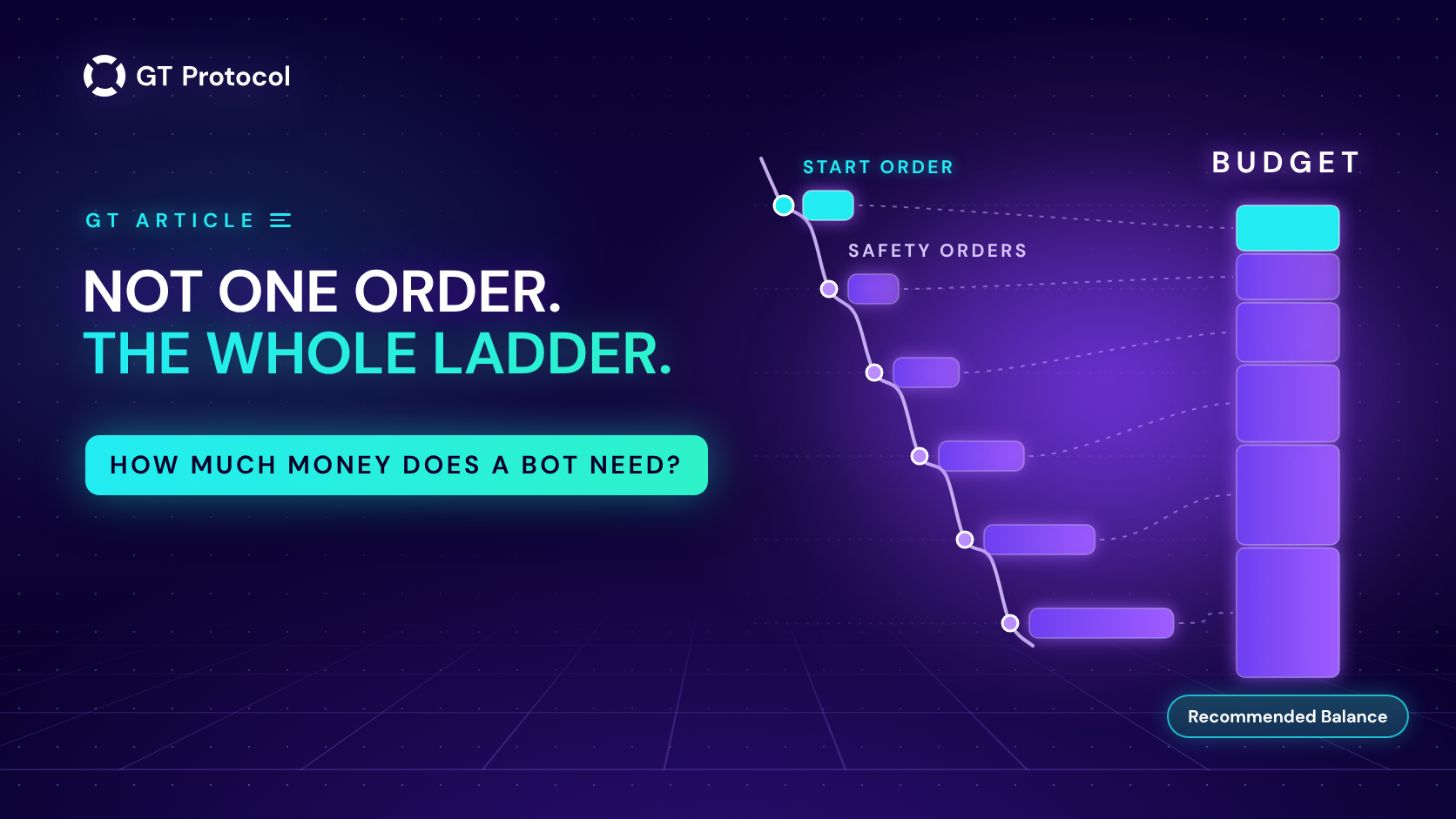
A DCA strategy doesn’t spend its money in one order. It opens a deal with the start order and buys more with safety orders if the price moves against it. With the martingale ratio switched on, each safety order is larger than the one before. The budget of one deal is the whole ladder:
- the start order;
- plus the first safety order;
- plus each next safety order, which is the previous one multiplied by the martingale ratio.
Take a $10 start order, five $10 safety orders and a martingale ratio of 1.3. The safety orders come out at $10, $13, $16.90, $21.97 and $28.56, and the ladder adds up to $100.43. The last safety order alone is almost three times the start order.
The whole ladder gets spent only if the price goes far enough to fill every safety order. When it does, the money has to be on the account.
You don’t have to do this sum by hand. Open the strategy form, Create Spot Strategy or Advanced settings on the futures strategy screen, and choose a real exchange account. The Assistant card then shows your balance and a line, Recommended Balance. On spot it is the ladder plus 1%: $101.43 for the example above. If your free balance is lower, the line turns red with “You have insufficient balance for selected settings. Please deposit funds to your USDT balance.” It is a warning, not a block: Save and Start trading still works, so read the line before you press it. The line appears when order sizes are fixed amounts rather than a percentage of the balance.
What does $100 cover on spot?
$100 is a starting budget people often ask us about, and it shows how fast a ladder grows. Three ladders, each built from orders of at least $10:
| Ladder | Total | Recommended |
|---|---|---|
| $10 start, five $10 safety orders, martingale 1.3 | $100.43 | $101.43 |
| $10 start, four $10 safety orders, martingale 1.3 | $71.87 | $72.58 |
| $30 start, two $30 safety orders, no martingale | $90.00 | $90.90 |
With exactly $100 on the account, the first ladder is $1.43 short of the recommendation, and the form warns you. Dropping the fifth safety order frees $28.56. Adding orders works the other way: at a ratio of 1.3, six safety orders bring the same ladder to $137.56, and seven to $185.83.
On a spot Long the strategy spends the quote coin, USDT in BTC/USDT. A spot Short sells the coin itself, so for BTC/USDT it needs BTC on the account, and its order sizes are entered in BTC, with the same minimum of about $10 per order.
How does leverage change the money you need?
On futures, the amount you enter is the size of the position, not the margin. In a live deal on Binance, a 200 USDT order at 4x opened an ENA position worth 199.81 USDT, not 800. The margin taken from your balance is the amount divided by the leverage, and the strategy form shows it for the start order as Initial margin: 50 USDT for that order.
So leverage lowers the margin each order needs, while the minimum stays where it was: a 5 USDT position at 10x needs 0.50 USDT of margin.
Recommended Balance on futures isn’t simply the ladder divided by the leverage. Take a 50 USDT start order and four 50 USDT safety orders, a 250 USDT position when the whole ladder is filled:
| Leverage | Margin | Recommended |
|---|---|---|
| 1x | 250 USDT | 252.50 USDT |
| 2x | 125 USDT | 126.25 USDT |
| 5x | 50 USDT | 125 USDT |
| 10x | 25 USDT | 125 USDT |
From 3x up the form recommends half of the full position, whatever the leverage. The rest of the recommendation, above the margin, is room for the price to move: in Cross margin, the free balance of your futures wallet is what stands between an open position and liquidation. How to avoid liquidation in our Knowledge Base explains what moves the liquidation price.
In Isolated margin a strategy gets a budget of its own, Trading amount, set in the form and taken from your futures balance. The minimum is 20. If it can’t cover the margin of the start order and all safety orders, the form asks you to “Increase the trading amount so there are enough funds to cover the initial margin required for the start and safety orders.”
How do several strategies share one balance?
Spot strategies on one exchange account all spend from the same free balance. GT App doesn’t set money aside for each of them: whichever strategy places an order first uses the balance, and a deal that needs a safety order later gets what is left. If you run several strategies, add up all their ladders.
Futures follow two more rules. A strategy in Cross margin uses the whole futures balance and takes the exchange connection for itself, so no other futures strategy can be added on it. Strategies in Isolated margin can share a connection, one per pair, and each spends only its own Trading amount. Isolated margin is the one setting that keeps one strategy’s money apart from another’s.
| Strategy | Money it uses | On one connection |
|---|---|---|
| Spot | Free balance of the Spot wallet | Several, nothing set aside |
| Futures, Cross | The whole futures balance | Only one |
| Futures, Isolated | Its own Trading amount | Several, one per pair |
When the money runs out in the middle of a deal, GT App cancels the safety order it couldn’t place, and the deal goes on with the safety orders already filled. On Binance the notification reads “Exchange account has insufficient balance for requested action.” If even a start order can’t be placed, the deal doesn’t open and GT App stops the strategy.
Instead of fixed amounts, the form’s Amount type can set orders as a percentage of your balance at the moment of each order. The start order and all safety orders together, martingale included, have to stay under 99% of the balance. Percent orders shrink as other strategies use the balance, and one that drops below the exchange minimum fails when it is placed rather than when you save. On futures the percentage is the margin: at 10x, an order of 1% opens a position worth 10% of the balance. Percent mode isn’t available in demo.
Your plan also caps the number of real strategies. The $5 entry plan allows 2 spot and 2 futures strategies, stopped ones included, on up to 2 exchange connections.
How should you size a demo strategy?
Demo can’t tell you whether you can afford a ladder. Each demo strategy trades a large virtual balance, and the Assistant card doesn’t show Recommended Balance in demo, so nothing warns you that a ladder costs more than your real account holds. The minimum order sizes are the same as on the exchange.
If you plan to take a demo strategy live, give it the order sizes you would use with real money and add up its ladder yourself. A demo can be copied into a real strategy with its settings, order sizes included, so a demo sized for a balance you don’t have becomes a live strategy you can’t fund.
Frequently asked questions
Do I deposit money into GT App?
No. Your trading balance stays on your own exchange account, and GT App trades it through a connection that can’t withdraw. The only payment to GT App is the plan.
Is $10 enough to run a trading bot?
On Binance spot, $10 covers a single order: a strategy with a start order and no safety orders. Every safety order adds about $10 more at the minimum, and the plan is paid on top. In demo you need no money at all.
What happens if my balance runs out during a deal?
GT App cancels the safety order it couldn’t place, and on Binance it sends “Exchange account has insufficient balance for requested action.” The deal keeps running with the orders already filled. If the balance can’t cover a start order, the deal doesn’t open and the strategy stops.
Do I need extra coins to pay trading fees on spot?
No. When the exchange takes its fee in the coin you bought, the take-profit sells what you bought minus that fee. If your Binance account pays fees in BNB, they come out of your BNB balance instead. The quantity is rounded down to the exchange’s step, so a small remainder of the coin can stay on your account after a deal.
Does higher leverage mean I need less money?
Less margin per order, yes. A higher leverage doesn’t lower the minimum position, and from 3x up the form still recommends half of the full position. A higher leverage also brings the liquidation price closer.
Can I keep each strategy’s money separate?
On futures, yes: give each strategy Isolated margin and its own Trading amount. Spot strategies on one exchange account share its free balance, and a futures strategy in Cross margin uses the whole futures balance.
Is this article investment advice?
No. It is published by GT Research for information. GT Protocol provides software, not financial, investment, tax or legal advice. The amounts here are examples of how the app counts money, not recommendations, and every trading decision is the reader’s own.
Where to start
Build the strategy in demo first and size it the way you would size it with real money. Before you take it live, add up the ladder: the start order plus every safety order with its martingale, and on futures look at the margin the form shows. Then check that this amount sits in the right wallet of your exchange account and that the plan is in place. If you are new to GT App, Four Steps from Sign-Up to Real-Money Trading in GT App shows where the plan and the exchange connection fit in.
This article is published by GT Research for information. It describes how GT App counts the money a strategy needs and is not financial advice. Trading digital assets, and futures with leverage in particular, carries a risk of losing some or all of the funds committed. GT Protocol provides software, not financial, investment, tax or legal advice. Binance and Hyperliquid are third-party platforms with their own terms, and GT App is not available in every jurisdiction; the Terms of Service list the restrictions.